Role
Lead Product Designer
external design partner in support
external design partner in support
I redesigned Digidentity's login and account switching, replacing an undiscoverable switch icon with a carousel that shows users every account at a glance. With no user testing available on a regulated product, I drove the decision with workshops and a structured survey, and aligned the final design with Apple's Liquid Glass as it launched mid-project.
Context: Digidentity is an eIDAS Qualified Trust Service Provider on the EU Trusted List, whose platform has created 25M+ verified identities across 180+ nationalities.
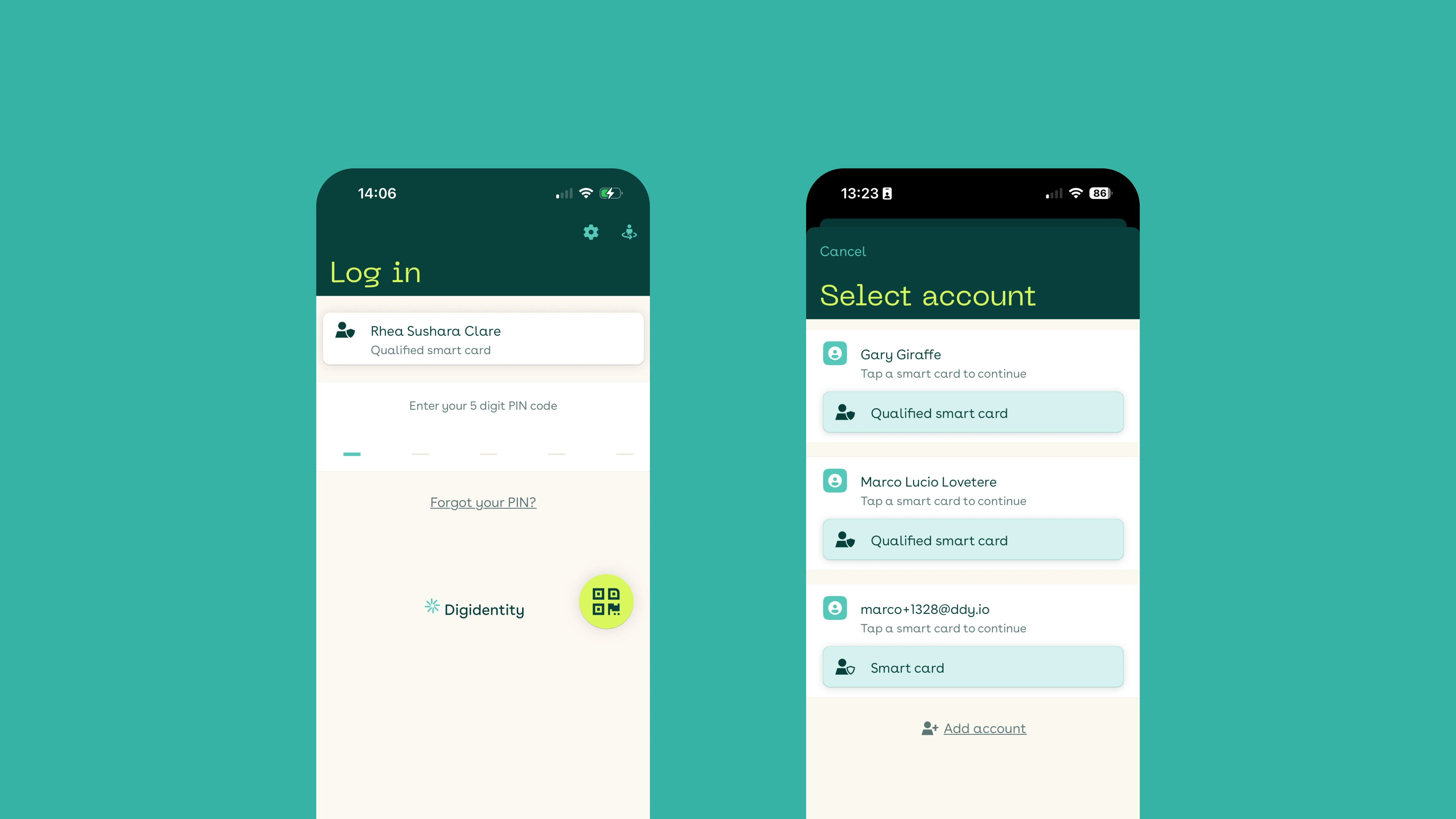
Multi-account users couldn't find the account switcher. It lived behind a small, unlabelled icon in the top-right corner, invisible to new users and frustrating for returning ones. Login simply defaulted to whichever account was last active, with no way to see the others unless you knew to hunt for that icon. In a digital identity app, logging into the right account — personal vs. business, different credentials — has real consequences.
On top of that, the login itself felt dated. It hadn't been refreshed in years and didn't reflect the trust and professionalism expected of a product that handles government-issued identity.
Existing users with multiple accounts and credentials, typically EU-based professionals who hold both personal and business identity products (eHerkenning, eSGN) and switch between them regularly. The design also had to stay clean and simple for single-account users, who shouldn't pay a complexity tax for a feature they don't need.
I led this project end to end, with an external design partner supporting exploration and visual execution.
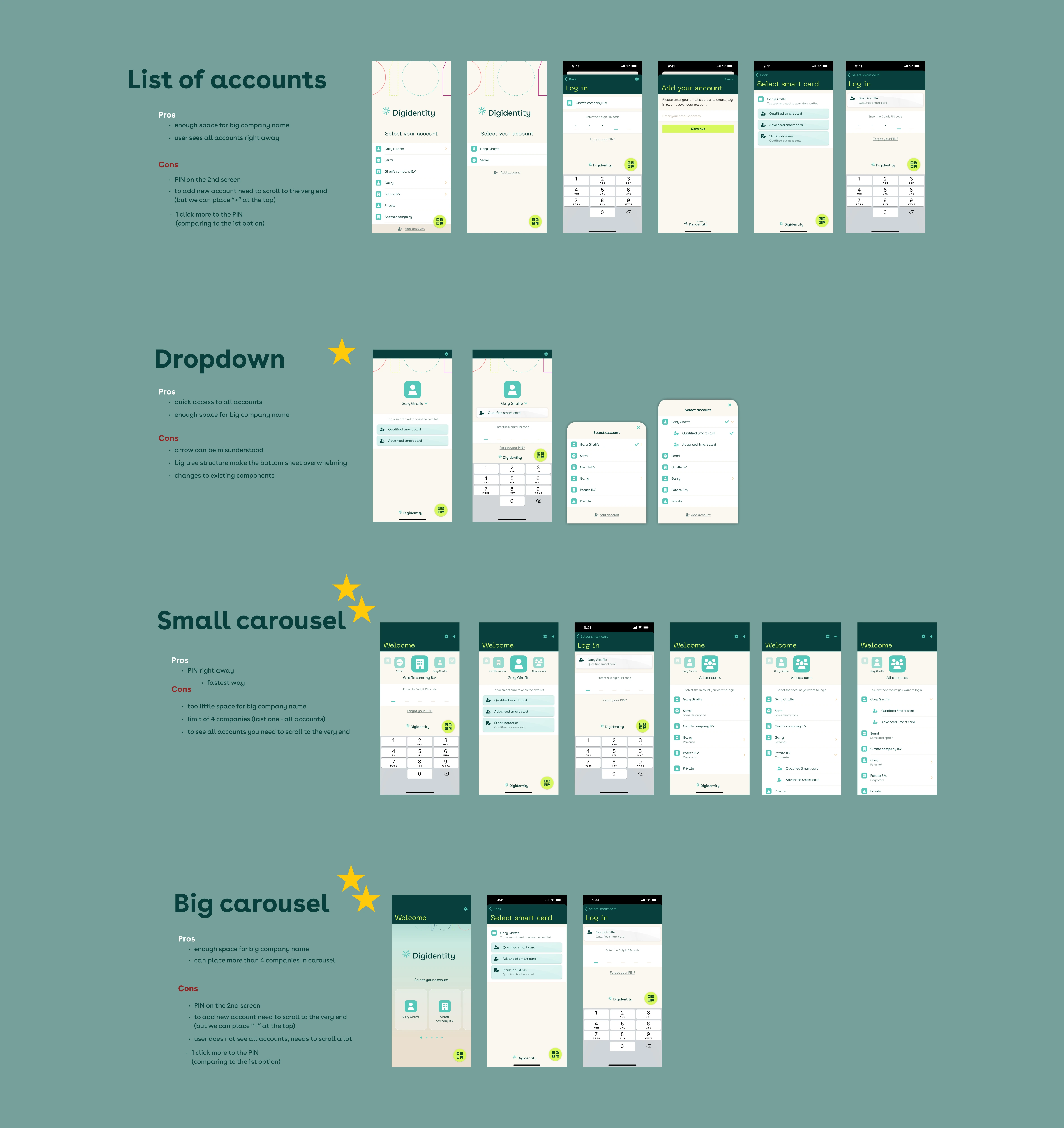
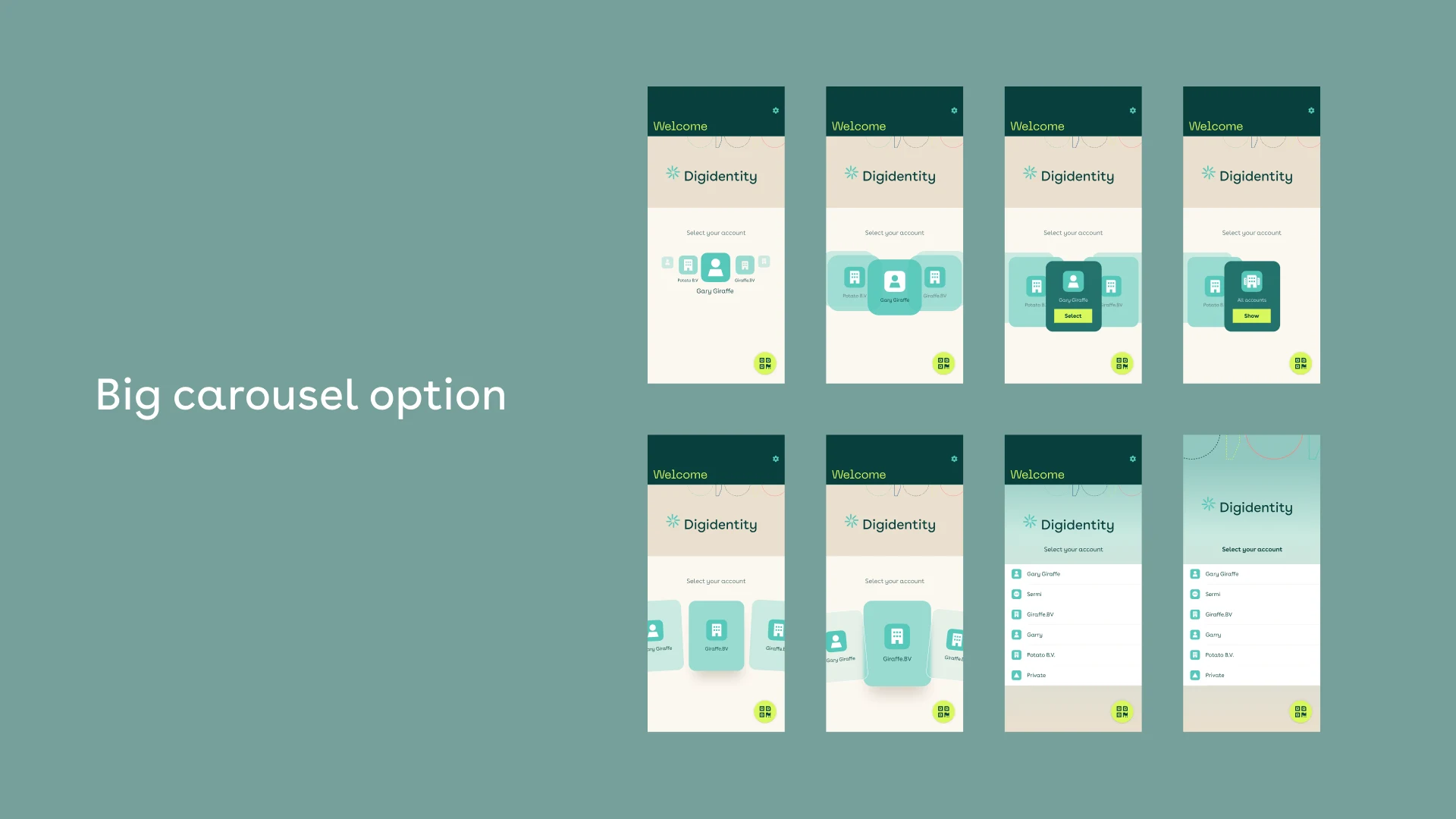
Rather than commit to one idea, I designed and prototyped three: a Small Carousel, a Big Carousel, and a Dropdown. Each made a different bet about how visible account switching should be, and each was mapped against five core login scenarios.
Because I couldn't run external user tests, I ran cross-functional workshops with the people closest to the product — the CTO, service desk, product managers, and developers — to pressure-test each direction against real user pain, technical reality, and support burden.
Stakeholders were split on which direction to take. With no user testing on the table, the decision was at risk of being settled by whoever argued hardest: exactly the wrong way to choose in a trust-critical product.
So I ran a structured internal survey using the prototypes, asking participants to complete real tasks and rate each option screen by screen. The result was clear: the Carousel beat the Dropdown overall (7 of 12, 58%) and won decisively on the screens that mattered most: seeing every account at once, and discovering "Add account" at 6 of 12 (50%). The Dropdown edged ahead only on single-account login, where there's nothing to switch between. That gave the team a defensible, data-backed direction instead of a stylistic argument.
There was a second pivot outside my control: the project paused for reprioritisation and restarted in mid-2025, right as Apple announced Liquid Glass at WWDC. The translucent direction I'd already been exploring suddenly became the platform standard, so I leaned into it rather than fighting the tide.
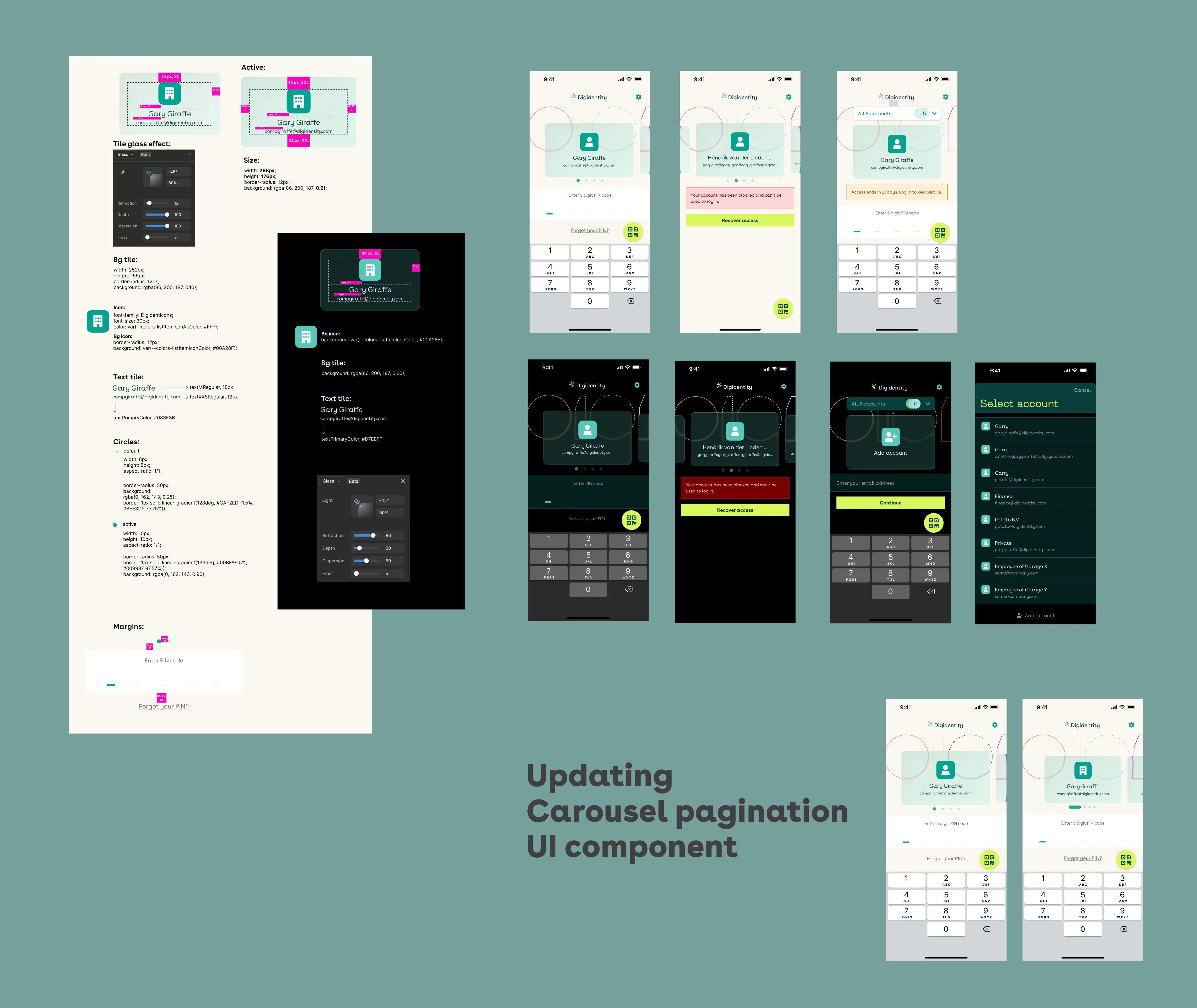
I brought Liquid Glass-inspired treatments into the final design (translucent headers and subtle refraction on the account cards) so it felt native to iOS 26 while staying true to the Digidentity brand. For Android, I adapted the visual treatment to feel native to Material Design while keeping the same interaction patterns and hierarchy.
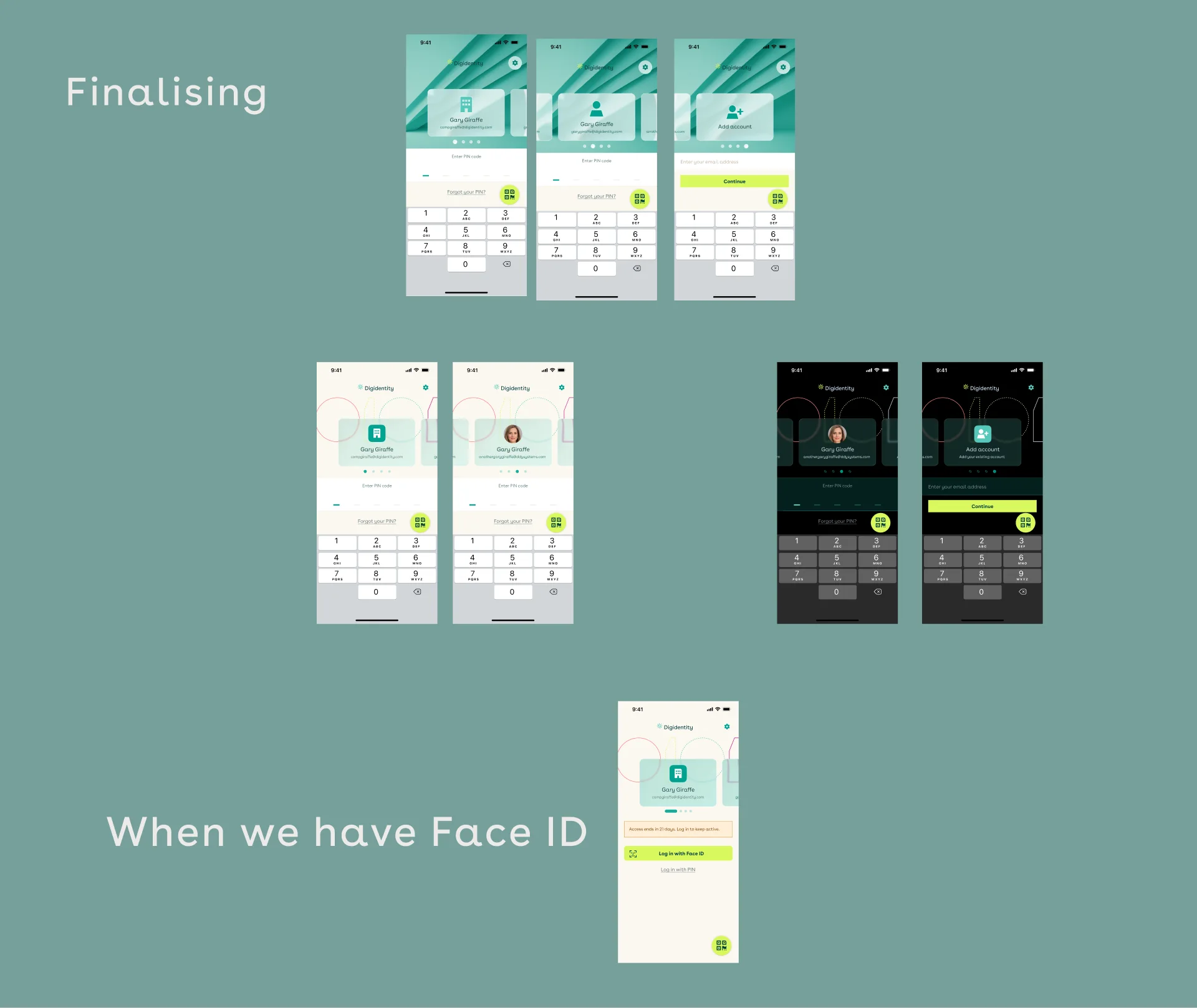
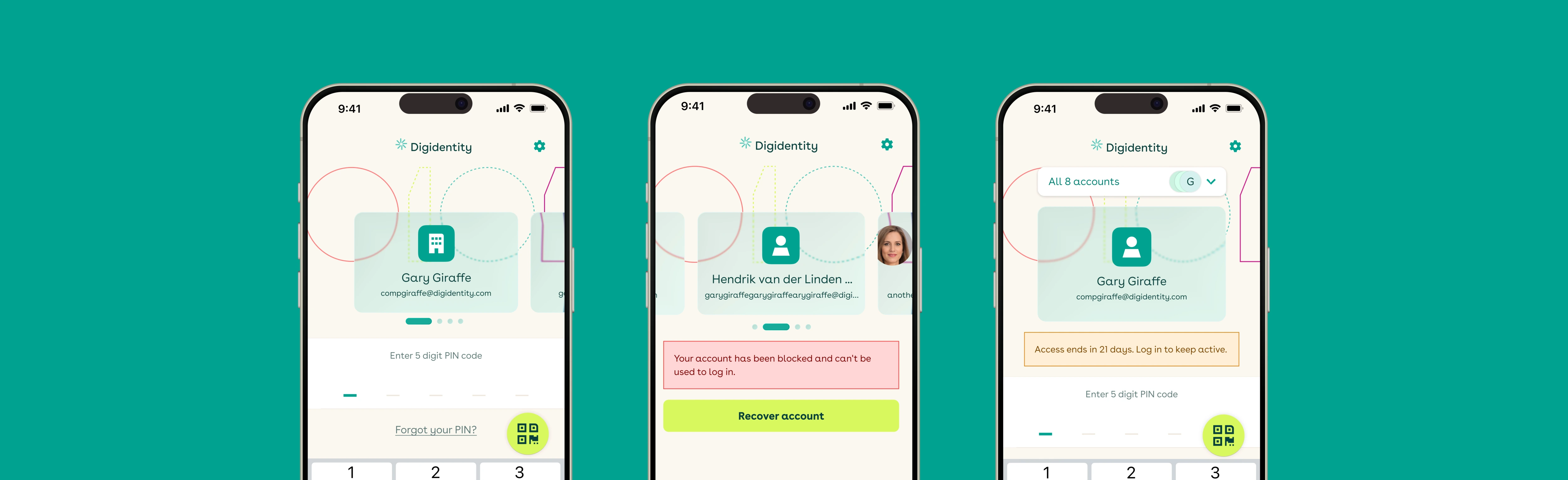
A Big Carousel of swipeable account tiles. Open the app and you see your accounts as prominent cards — each showing the account name, company, and email — with the current one centred. Swipe to switch, enter your PIN, done. The flow is immediate and visual, with zero hunting for a hidden icon.
The account tile shipped as a reusable component with variants for active, blocked, inactive, and selected states, and I updated the PIN pad and login flow to match. Everything was handed off with detailed iOS and Android specs: interaction details, edge-case documentation, responsive behaviour, and prototype flows developers could step through for every scenario.
Before the redesign, the service desk regularly received Zendesk tickets from people who didn't know how to log into another account. Since launch, that ticket category has dropped to almost zero. Product analytics tell the same story: wrong-account login attempts are down 60%, and successful multi-account switches are up 40%.
I can't isolate the redesign from every other change in the app. But the drop came in exactly the complaint the carousel was designed to remove, and that's the clearest signal I have that it was the cause.
Worth noting: many users only open the app once a year around tax season, so logging into the wrong account wasn't just an annoyance, it was a real blocking problem. The redesign puts every account in front of the user from the first second, on a product where logging into the right identity actually matters.
This is Phase 1 of a longer arc. Phase 2 introduces customisable account icons, so multi-account users can recognise accounts at a glance, moving the product from "functional" to genuinely personal.
Phase 3, in design now, extends biometric unlock into the wallet itself, opening credentials with Face ID, building on the Face ID login explored in earlier prototypes. The goal: faster access without another PIN step, with the assurance model intact.
The workshops and survey were a strong substitute for user testing, but not a full replacement. With more time, or in a less regulated setting, I'd pair the survey with real usability sessions to validate the carousel with actual multi-account users before handoff.